
If you work in healthcare, you know the reality: documentation takes longer than the patient interaction itself. Physicians spend roughly two hours on paperwork for every one hour of direct patient care. Therapists write up session notes after hours. Psychologists turn a 90-minute assessment into an afternoon of typing.
The clinical knowledge isn't the bottleneck. You know what to write. The bottleneck is getting it from your head to the screen at 40 words per minute.
What if you could dictate a full assessment report in the time it usually takes to type two paragraphs?
Why Clinicians Are Choosing General Dictation Over AI Scribes
Medical AI scribes exist. Tools that record your sessions and auto-generate notes. EHR-integrated platforms running $49 to $100+ per month. They have their place, but a growing number of clinicians are taking a different approach.
They prefer to write their own documentation.
You want control over what goes into the report. A diagnostic assessment, a treatment plan, a referral letter. These carry your clinical judgment. Auto-generated notes still need review and editing. Many clinicians find it faster to dictate their own words correctly the first time than to fix what an AI guessed.
Clinical language requires nuance. The difference between "the patient demonstrated a markedly antalgic gait pattern" and "the patient walked with a limp" matters. When you dictate, the phrasing is yours. Precise, intentional, and reflecting exactly what you observed.
You don't just write in an EHR. Referral letters go in Word. Emails go in Mail. Insurance forms live in browser portals. Medical scribe tools are locked to clinical workflows. A general dictation tool works everywhere on your Mac. Every app, every text field.
The cost difference is real. Specialized medical dictation runs $49-100+/mo. FlowDictate is $12/mo on the annual plan, with the same core value: you speak, formatted text appears. The difference is that FlowDictate works across your entire Mac, not inside a single clinical platform.

A Day of Clinical Documentation With Voice Dictation
Here's what this looks like in a real workday.
Morning: Assessment Reports
Between your first two patients, you open Microsoft Word and start on yesterday's assessment. Instead of typing, you hold your trigger key and speak:
"Patient reports persistent lower back pain radiating to the left leg, worsening over the past three weeks. Physical examination reveals reduced range of motion in lumbar flexion and a positive straight leg raise test at 45 degrees. No neurological deficits noted at this time..."
You release the key. Smart Format, FlowDictate's AI formatting, cleans up the transcription automatically. Filler words removed. Punctuation added. The prose reads like you typed it carefully, but it took a fraction of the time.
You dictate the next section. Then the next. A report that would take 45 minutes to type is done in 15.
Midday: Correspondence
A referral letter to a colleague. You switch to Apple Mail, hold the same trigger key, and dictate. A reply to an insurance inquiry in Chrome. A message to your admin about tomorrow's schedule. Same tool, different apps, no switching.
Afternoon: Session Notes
After your last session, you dictate a structured summary while the details are fresh. Instead of typing from memory an hour later, you capture your clinical observations immediately. More accurate, more detailed, and finished before you leave the office.
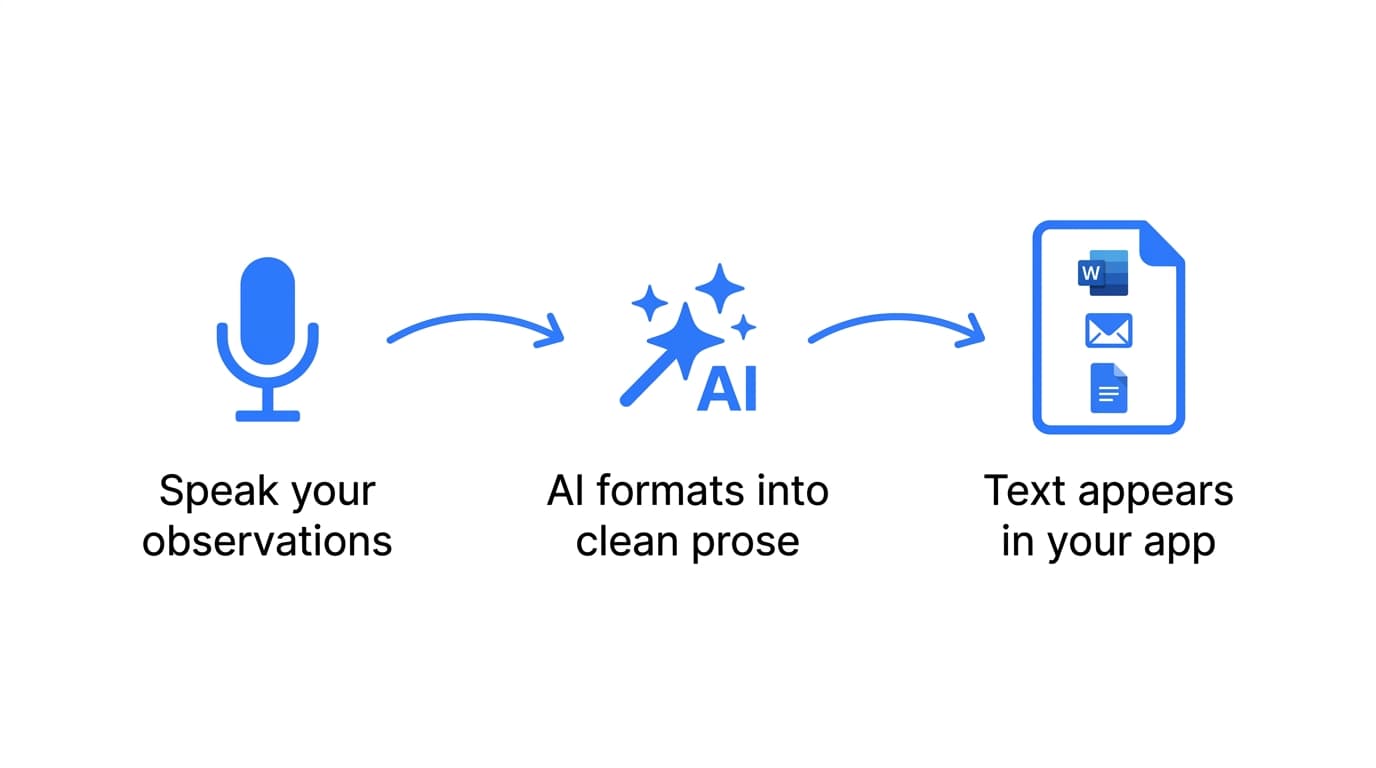
Because FlowDictate works system-wide, you never switch tools. Your trigger key works the same whether you're in Word, Mail, Chrome, or any other app.
Features That Matter for Clinicians
Smart Format
When you speak, you don't speak in perfectly punctuated paragraphs. You pause, restart, use filler words. Smart Format takes your raw speech and turns it into clean, professional prose. Proper punctuation, removed hesitations, well-formed sentences.
For clinical writing, this changes the game. Reports and assessments demand formal, precise language. Smart Format bridges the gap between how you naturally speak and how clinical documentation needs to read. It's on by default from your first dictation.
System-Wide Dictation
Reports in Word. Emails in Mail. Lab results in Chrome. Insurance forms in browser portals. You move between apps constantly throughout the day.
FlowDictate works in all of them. One trigger key, every app on your Mac. Text goes directly where your cursor is. No copying and pasting from a separate dictation window.
Custom Words
General speech recognition handles everyday vocabulary well, but clinical terminology can trip up any transcription engine. Medication names, assessment instruments, diagnostic classifications.
Custom Words lets you teach FlowDictate your vocabulary. Add the tools you reference (PHQ-9, GAD-7, MoCA, FIM), medications your patients take, and terminology specific to your specialty. Accuracy improves noticeably within your first few days.

Magic Edit
Sometimes a dictated paragraph is close but not quite right. Instead of selecting text and retyping, select it and use Magic Edit. Give a voice instruction: "Make this more concise," "Combine this with the paragraph above," or "Rewrite this as a formal recommendation."
Revisions without touching the keyboard.
Tips for Healthcare Professionals
1. Start with your longest document type. If you write multi-page assessment reports, that's where dictation saves the most time. Don't begin with quick emails. Start with the task that eats your afternoon.
2. Dictate in sections. Don't try to dictate an entire report in one stream. Work through it the way you'd write it: chief complaint, history of present illness, examination findings, plan. Each dictation becomes one clean paragraph.
3. Build your Custom Words list in your first week. Every time the transcription gets a clinical term wrong, add it. By week two, accuracy for your vocabulary will be near-perfect.
4. Use Magic Edit for revisions. Caught something that needs work? Select it and tell FlowDictate what to change. Faster than manual editing, and it keeps you in the flow.
5. Choose an accessible trigger key. You'll dictate between patients, often quickly. Pick a key you can hit without thinking. Fn or Right Option are popular choices.
Getting Started
FlowDictate is a native app for macOS and Windows 10 & 11 with a 14-day free trial. No credit card required. Setup takes under two minutes:
- Download FlowDictate from flowdictate.com
- Choose your trigger key during setup
- Open your first document in Word, Google Docs, Mail, or any app
- Hold the key and start speaking. Smart Format is on by default.
FlowDictate is SOC 2 compliant, runs natively on macOS (Apple Silicon and Intel) and Windows 10 & 11, and works across every app you use.

Try FlowDictate free for 14 days
Dictate your next clinical report instead of typing it.
Start Free Trial